2
TRACING ENGINES
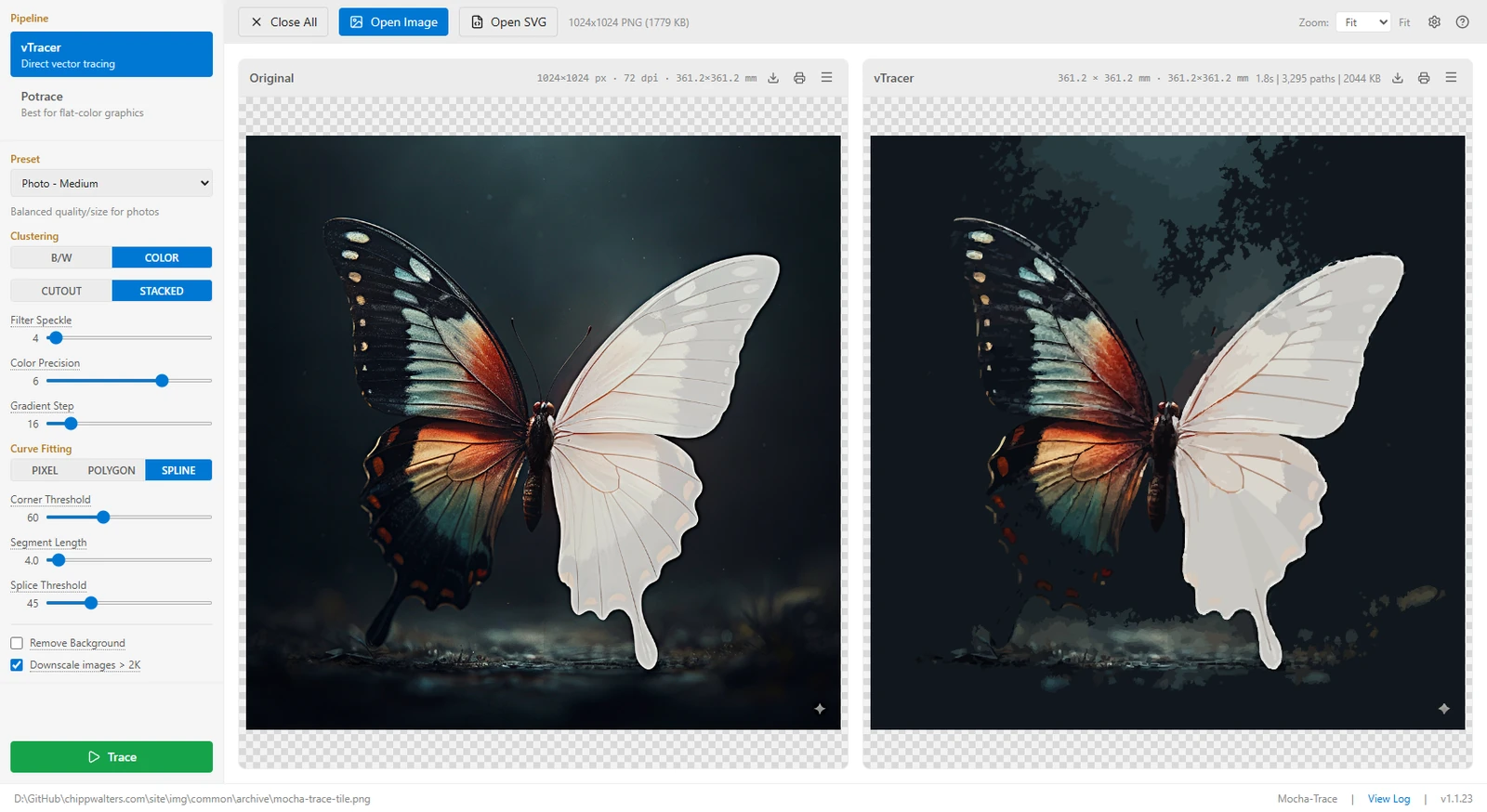
Turn any raster image into a clean SVG, then make it print-and-cut ready. Tracing, AI background removal, and upscaling all run locally on your own machine.
 // mocha-trace.trace
Mocha Trace converts raster art into clean, scalable SVG, then carries it the rest of the way — bleed, cut paths, exact-size printing — so full-color laser-cut pieces come out clean.
vTracer for full-color output with every parameter exposed, and Potrace for flat-color, per-color stacked layers. Tune for logos, line art, or photographs.
Add an outer color bleed that extends artwork past the cut line, then generate a laser-ready SVG cut path. No white halo when registration drifts.
Background removal and super-resolution ship inside the app and run locally — on any modern integrated GPU. No extra installs, no dedicated graphics card.
 // mocha-trace.bleed-and-cut
Designed around one showcase workflow: turning a digital design into two craft-ready files — a printable image with color bleed and a matching SVG cut path — so print and cut line up every time.
 // mocha-trace.offline
Everything ships bundled — the Python environment, both tracers, and the AI models — so nothing leaves your computer. Purpose-built to run offline on modest hardware.
Join the makers using Mocha Trace to turn raster art into craft-ready vectors, entirely offline.